lesson 06
人工智能开发
Monocurl 场景是纯文本文件,LLM 对于避免样板/繁琐的布局任务非常有帮助。
目前状况
Monocurl 有一个 MCP(模型上下文协议)服务器,可以让兼容的 AI 助手直接读取 Monocurl 的文档、stdlib 参考、CLI 注释和示例场景作为结构化资源。这是为 AI 助手提供 Monocurl 上下文的推荐方法。
服务器在 npm 上发布为 @enigmurl/monocurl-mcp。它只是一个文档服务器。它不编辑场景、运行 Monocurl、渲染图像或验证代码。
对于接受 stdio 服务器配置的 MCP 客户端,添加:
{
  "mcpServers": {
    "monocurl": {
      "command": "npx",
      "args": ["-y", "@enigmurl/monocurl-mcp"]
    }
  }
}
对于 Claude Code,等效命令是:
claude mcp add --transport stdio monocurl -- npx -y @enigmurl/monocurl-mcp对于 Codex,请将其添加到 ~/.codex/config.toml:
[mcp_servers.monocurl]
command = "npx"
args = ["-y", "@enigmurl/monocurl-mcp"]
安装完成后,请助手在编写场景之前先阅读Monocurl MCP资源。
提示示例
您可以将这样的内容粘贴到 AI 编码助手中:
You are helping me write a Monocurl scene. Monocurl is a programming language and desktop app for creating mathematical animations with live preview, video export, and slideshow-style presentation.

Install and use the Monocurl MCP context server before writing code. If your MCP client supports stdio servers, add a server named monocurl with:

command: npx
args: ["-y", "@enigmurl/monocurl-mcp"]

Then read the Monocurl MCP resources, especially the language overview, stdlib docs, CLI guide, and example scenes.

When writing and testing Monocurl code, keep these points in mind:

1. If the `monocurl` binary is not on PATH, look for the application binary manually. On macOS, check `/Applications`, `~/Applications`, or the app bundle contents. On Windows, check `Program Files` for `Monocurl.exe`. The binary can run scenes and inspect print output.
2. Be mindful when sizing text. Text sizes smaller than `0.5` are typically illegible. Prefer larger text that is easy to read during presentations.
3. In most cases, do not explicitly specify the variables to animate. The default behavior animates all dirty leaders, so the variables list can usually be left as `[]`.
4. Your sandbox may not have access to a GPU device, so CLI image or video rendering may fail. Use print statements and the transcript command heavily to check positioning, values, and the general structure of the scene.
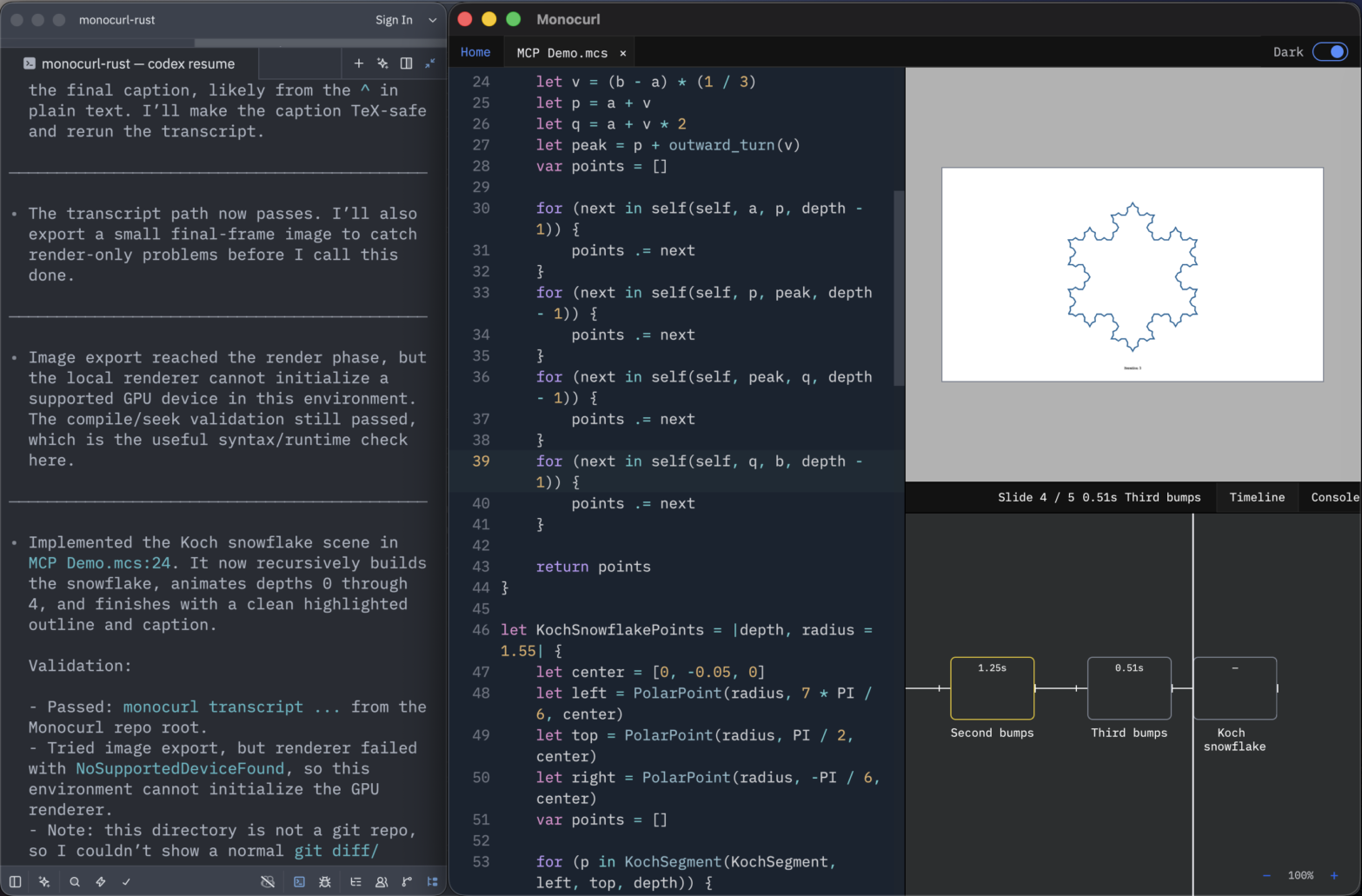
无头模式
Monocurl 将监视文件更改并动态更新时间线和视口,以响应任何外部编辑,包括来自 AI 代理的编辑。因此,您可以使用您喜欢的文本编辑器或 AI 代理编写场景源文件,然后切换回 Monocurl 编辑器以查看结果并清理时间线。如果您希望使用终端左侧空间而不是默认编辑器,请在“文件”菜单下启用无头菜单。