lesson 06
AI開発
モノカール シーンはプレーン テキスト ファイルであり、LLM は定型的なタスクや退屈なレイアウト タスクを回避するのに非常に役立ちます。
現在の状況
Monocurl には MCP (Model Context Protocol) サーバーがあり、互換性のある AI アシスタントが Monocurl のドキュメント、stdlib リファレンス、CLI ノート、サンプル シーンを構造化リソースとして直接読み取ることができます。これは、AI アシスタント Monocurl コンテキストを与えるための推奨される方法です。
サーバーは npm で @enigmurl/monocurl-mcp として公開されます。これはドキュメント サーバーのみです。シーンの編集、Monocurl の実行、イメージのレンダリング、コードの検証は行いません。
標準入出力サーバー構成を受け入れる MCP クライアントの場合は、以下を追加します。
{
  "mcpServers": {
    "monocurl": {
      "command": "npx",
      "args": ["-y", "@enigmurl/monocurl-mcp"]
    }
  }
}
クロード コードの場合、同等のコマンドは次のとおりです。
claude mcp add --transport stdio monocurl -- npx -y @enigmurl/monocurl-mcpCodex の場合、これを ~/.codex/config.toml に追加します。
[mcp_servers.monocurl]
command = "npx"
args = ["-y", "@enigmurl/monocurl-mcp"]
インストール後、シーンを作成する前にアシスタントに Monocurl MCP リソースを読み取るように依頼します。
プロンプトの例
次のようなものを AI コーディング アシスタントに貼り付けることができます。
You are helping me write a Monocurl scene. Monocurl is a programming language and desktop app for creating mathematical animations with live preview, video export, and slideshow-style presentation.

Install and use the Monocurl MCP context server before writing code. If your MCP client supports stdio servers, add a server named monocurl with:

command: npx
args: ["-y", "@enigmurl/monocurl-mcp"]

Then read the Monocurl MCP resources, especially the language overview, stdlib docs, CLI guide, and example scenes.

When writing and testing Monocurl code, keep these points in mind:

1. If the `monocurl` binary is not on PATH, look for the application binary manually. On macOS, check `/Applications`, `~/Applications`, or the app bundle contents. On Windows, check `Program Files` for `Monocurl.exe`. The binary can run scenes and inspect print output.
2. Be mindful when sizing text. Text sizes smaller than `0.5` are typically illegible. Prefer larger text that is easy to read during presentations.
3. In most cases, do not explicitly specify the variables to animate. The default behavior animates all dirty leaders, so the variables list can usually be left as `[]`.
4. Your sandbox may not have access to a GPU device, so CLI image or video rendering may fail. Use print statements and the transcript command heavily to check positioning, values, and the general structure of the scene.
ヘッドレスモード
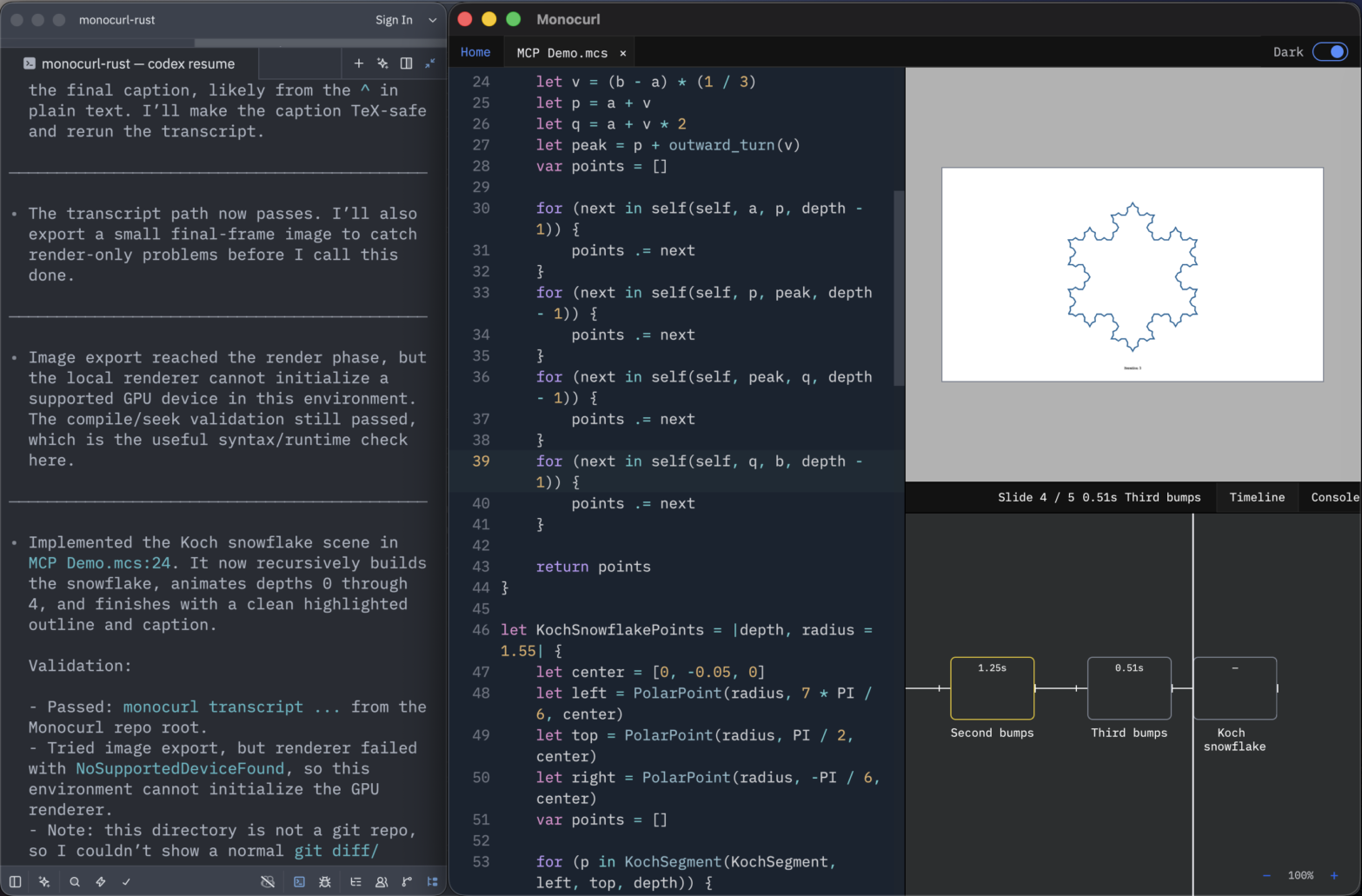
Monocurl はファイルの変更を監視し、AI エージェントからの編集を含む外部編集に応じてタイムラインとビューポートを動的に更新します。したがって、好みのテキスト エディタまたは AI エージェントを使用してシーン ソース ファイルを作成し、その後 Monocurl エディタに戻って結果を確認し、タイムラインをスクラブすることができます。デフォルトのエディタではなく、左側のスペースをターミナルに使用したい場合は、「ファイル」メニューで「ヘッドレス」メニューを有効にします。